
Archiving, Trash, and Restoring
Remove items from your project by archiving them or moving them to the trash.
Archive items you want to keep but don’t need to see anymore. Move items to the trash when you want to remove them completely. Both archived and trashed items can be restored later.
Jump to:
- Archiving items
- Moving items to the trash
- Viewing archived items
- Viewing and restoring from the trash
- Projects and permissions
Archiving items
Archive items to remove them from view without deleting them.
Open the ••• menu on an item and click Archive.
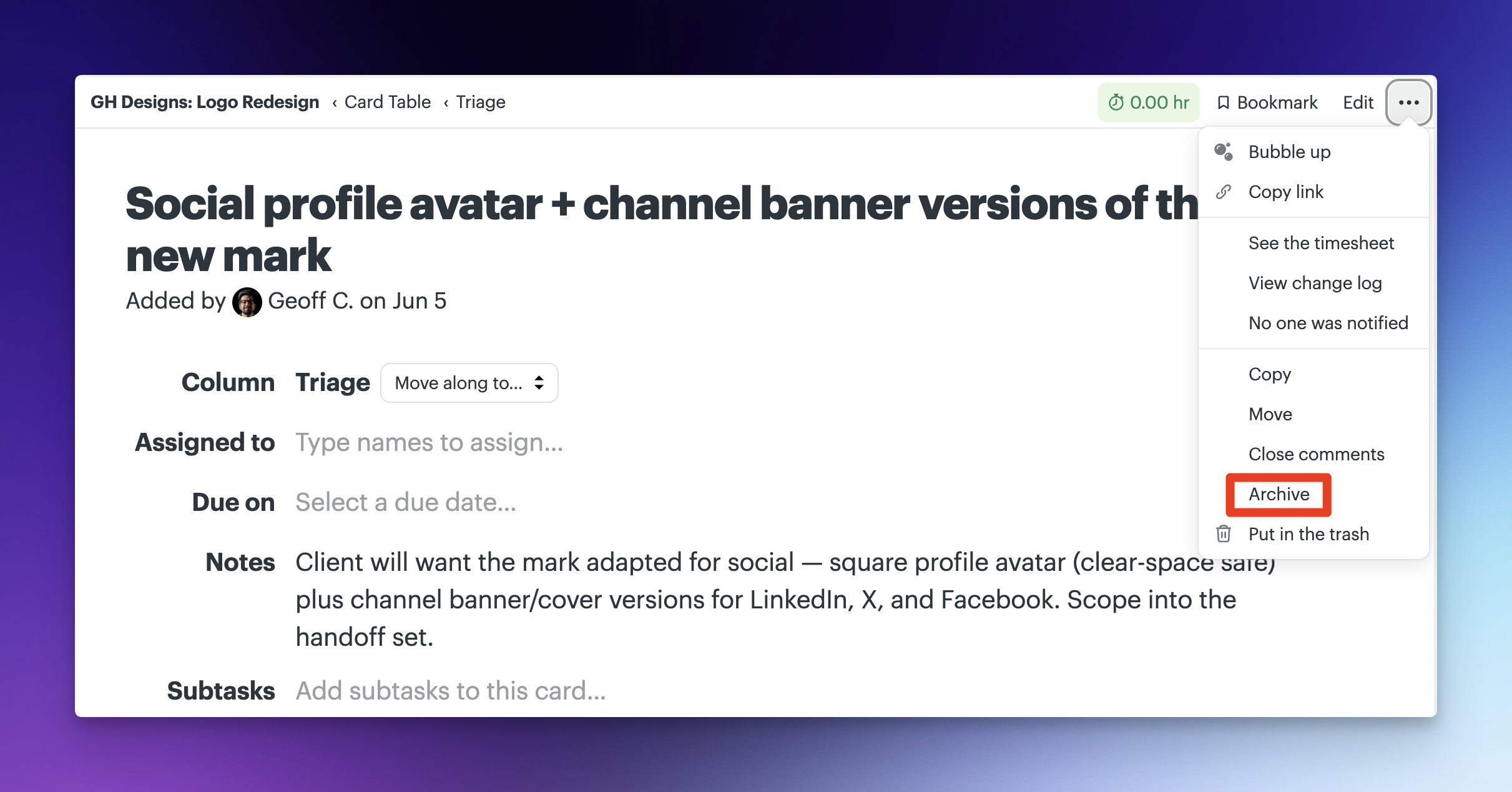
Archived items are removed from the main view but remain available if you need them later. After archiving, you’ll see a confirmation message with options to undo or move the item to the trash.

Moving items to the trash
Move items to the trash to remove them from your project.
Open the ••• menu on an item and click Put in the trash.
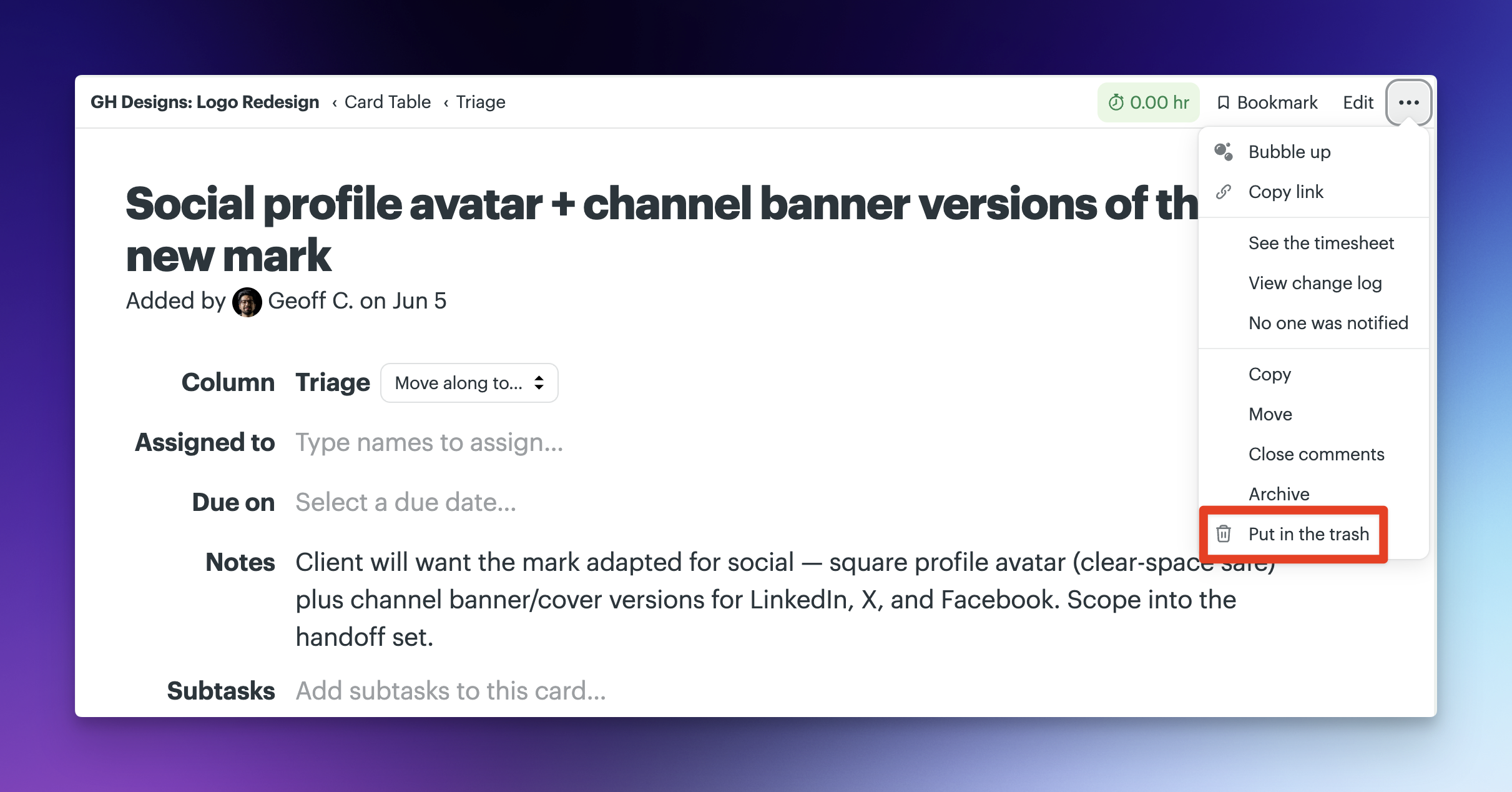
After moving an item to the trash, you’ll see a confirmation message with an option to undo.

Items in the trash can be restored for a limited time before they’re permanently deleted.
Viewing archived items
Archived items are still available and can be viewed or restored at any time.
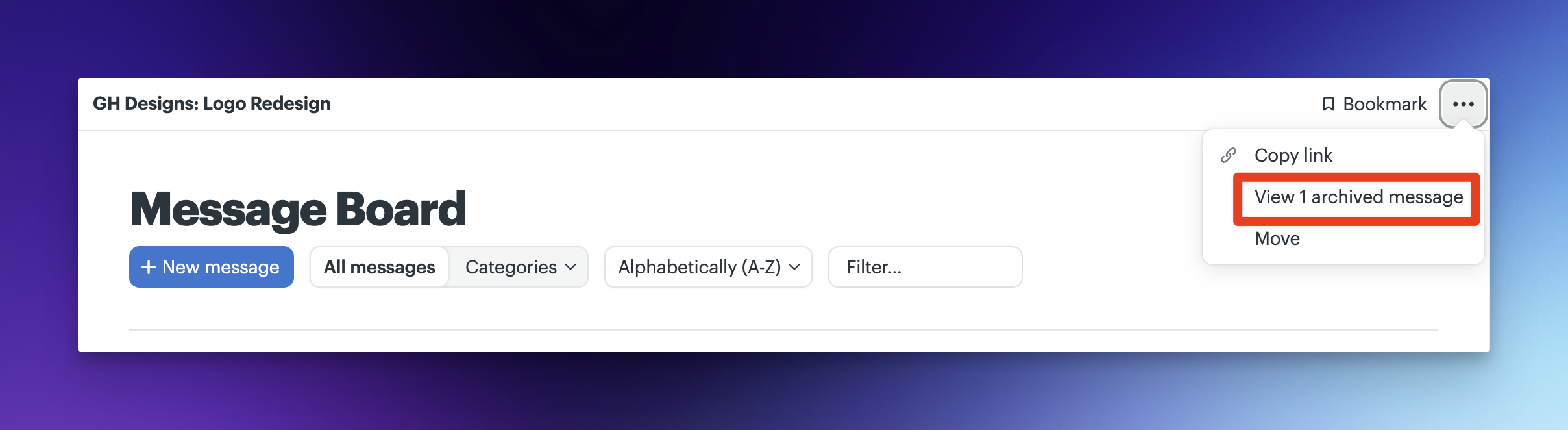
You can access archived items from the ••• menu of the tool where the item was created.
Viewing and restoring from the trash
Open the Trash from your account or project settings to view items that have been removed. From there, you can restore items to their original location or permanently delete them.

📝 NOTE: Items stay in the trash for 25 days before being permanently deleted, or until you empty the trash - whichever comes first.
Projects and permissions
You can archive or move entire projects to the trash from the project settings.
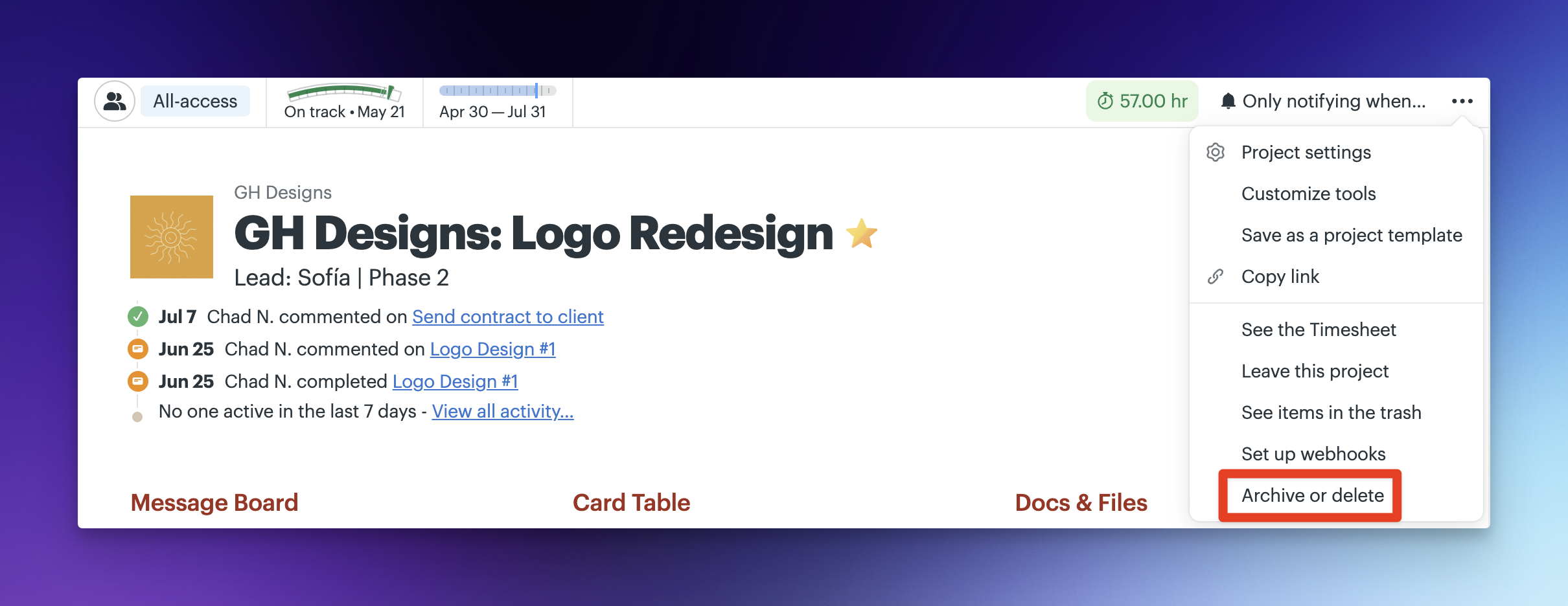
Archiving a project removes it from active work while keeping everything intact. Moving a project to the trash removes it entirely, subject to the same recovery time limits.
Who can archive, delete, or restore items depends on your role in the account.
Account owners can also view everything that’s been moved to the trash across all projects in the account, giving them a complete view of what’s been deleted and the ability to restore it if needed.
📝 NOTE: Accounts using additional controls (such as Admin Pro Pack) may have restrictions or additional permissions for deleting or restoring items and projects.