Bubble Up
Bubble up any item to bring it back to the top of your sidebar now, or at a time you choose.
Use it for things you want to deal with later - without leaving them unread or relying on memory.
Bubbling an item temporarily removes it from your current view and brings it back when you’re ready to deal with it.
💡TIP: Want to keep something saved instead? Use Bookmarks to keep items handy without a reminder.
Jump to:
- Bubbling something up
- Choosing when it returns
- Viewing bubbled items
- Changing or removing a Bubble Up
Bubbling something up
Click the ••• menu on any message, to-do, file, or other item and select Bubble up. You can also click the 🫧 Bubble Up option directly on a notification in your sidebar.

Choosing when it returns
After selecting Bubble Up, choose when the item should return.
You can choose to bring it back now, later today, tomorrow, this weekend, next week, or pick a specific date.
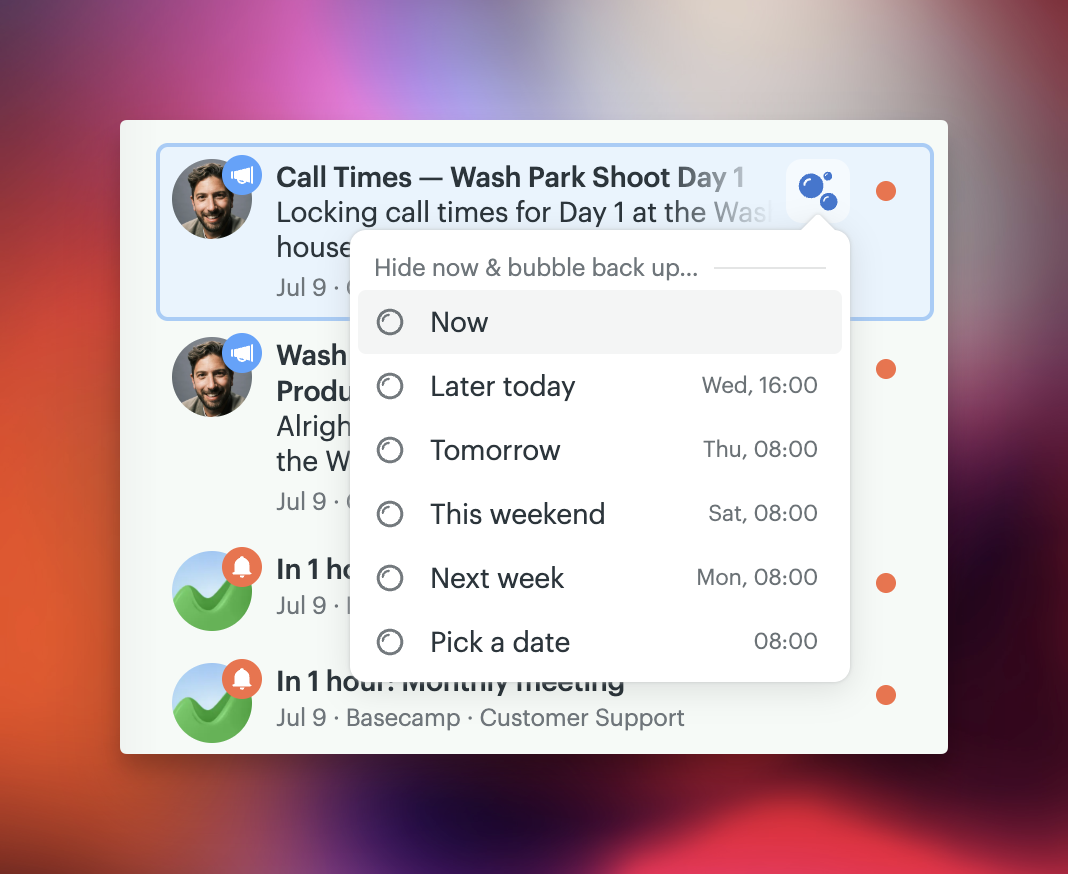
If you choose Pick a date, you can select a specific day.
Viewing bubbled items
When an item bubbles back up, it appears in a Bubbled up section near the top of your Sidebar so you can review and take action on it.
If you have more than 2 items, there will be a link showing how many items you have bubbled up, or will bubble up in the future.

Click a bubbled item to open it, or open the full View more view to see everything scheduled to return later in a sidebar panel on its own.
Changing or removing a Bubble Up
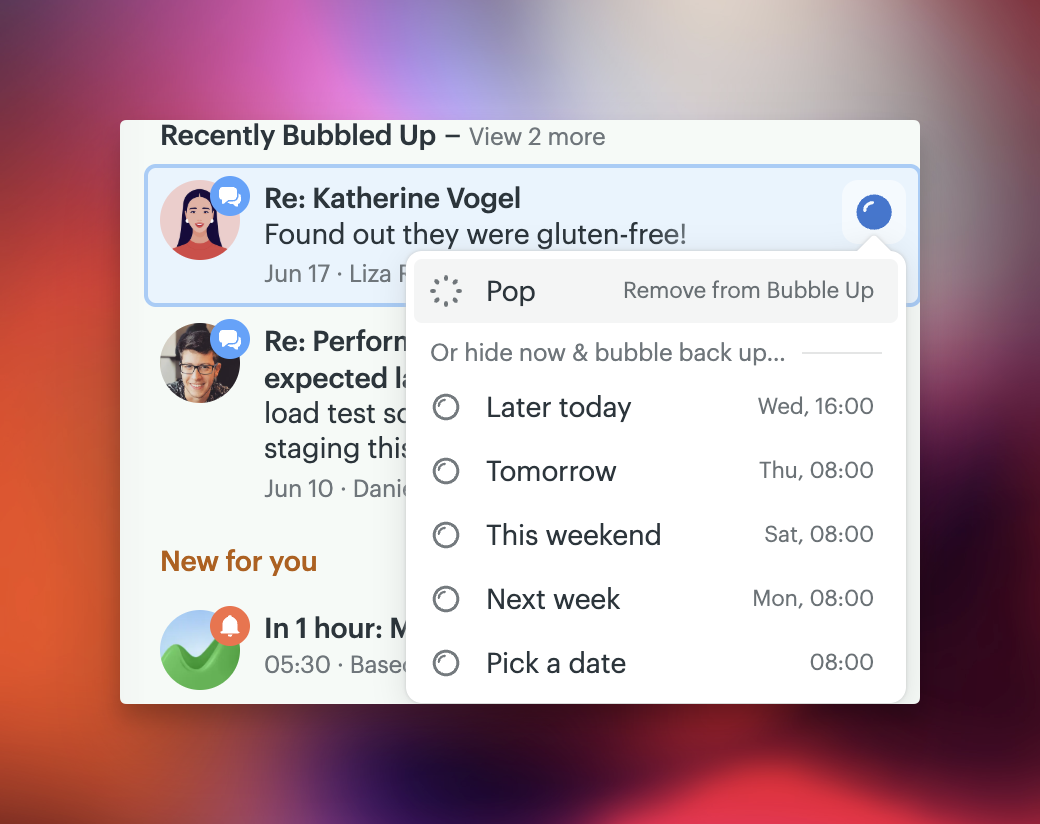
Click the 🔵 icon on the item to choose a new time or remove it. You can also open the item immediately from this menu.