
Handling Billing and Invoices
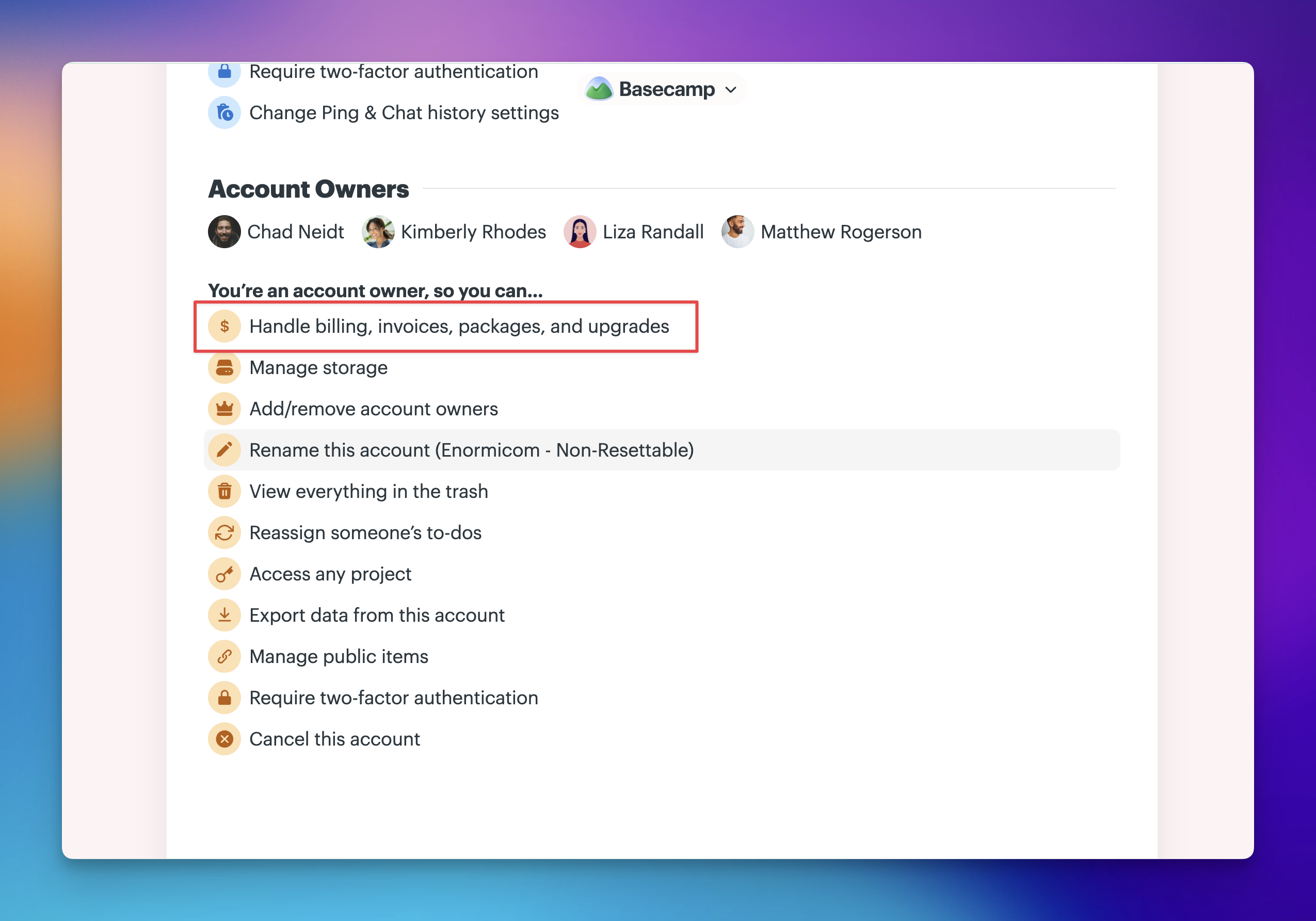
All billing and invoice management lives in one place: the Handle billing, invoices, packages, and upgrades section in Adminland. Only account owners can access this area. If you're not the account owner, you'll need to reach out to whoever holds that role.
For current pricing, see basecamp.com/pricing.
Jump to:
- Unfreezing your account
- Updating your credit card
- Making a lump sum payment
- Changing who receives invoices
- Looking up past invoices
- Discounts
- Refunds
From the Home page, click the ⚿ Adminland button on the left side, then scroll down and select Handle billing, invoices, packages, and upgrades.
NOTE: Handling billing and upgrades is only available on desktop or web browser, it's not available in our mobile apps.
Unfreezing your account
If you're seeing a message that your Basecamp account is frozen, your data is safe but billing needs to be resolved before access is restored. The account owner was notified by email when the account was frozen.
If you're the account owner, head to Adminland to update your billing information. If the account owner is no longer available, contact our support team and we'll help you get back up and running.
🗒️ NOTE: Only account owners can handle billing. If you're not the owner, you'll need to connect them with this article or reach out to support on their behalf.
Updating your credit card
Click Update your credit card, enter your new card details, and click Update my credit card.
Making a lump sum payment
By default, Basecamp charges your account monthly or yearly. If you'd prefer to pay on your own timeline, lump sum payments let you pay a set amount upfront. Contact the support team with the amount you'd like to pay. We'll charge the card on file and apply it to your account as a credit.
Charges are withdrawn from your credit balance first, and you'll receive an invoice each time. We'll notify you when the balance is running low. Your current credit balance is always visible to account owners in Adminland.
Lump sum payments are not refundable.
Changing who receives invoices
Click Change who gets invoice emails, enter the recipient's email address, and add any notes they might need.
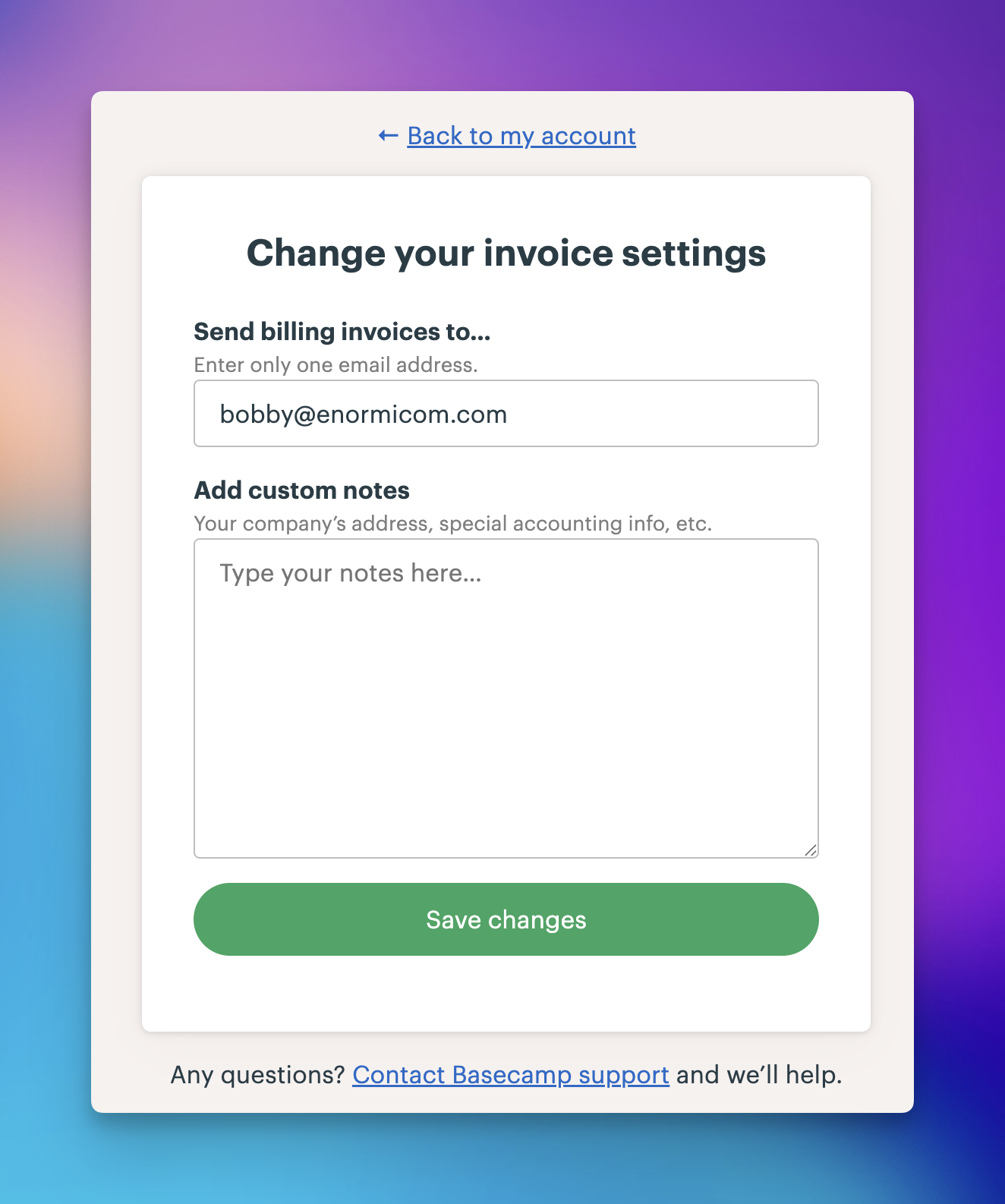
🗒️ NOTE: The account owner will always receive a copy of every invoice, in addition to anyone added here.
Looking up past invoices
Scroll down to the invoices section and click any month to download a plain-text copy of that invoice.
Discounts
Basecamp is free for teachers and students, and 10% off for nonprofits. See basecamp.com/discounts for qualifications and instructions on how to apply.
Refunds
If you're ever unhappy with Basecamp for any reason, contact our support team and we'll do our best to make it right. Read our full refund policy for details.